
If you’ve been playing with local LLMs for any amount of time, you’ve probably been there: you find a model that looks promising, spend time downloading it, fire up Ollama or llama.cpp, and then… it either crawls at 0.5 token per second or just straight up crashes. Fun times.
Table Of Content
Running LLM’s locally has some real advantages, privacy, no API costs, offline access, full control over what you’re running. But one of the most annoying friction points in the whole workflow is figuring out before you download a 30GB file whether your machine can actually handle it. Sure, you can Google it, dig through Reddit threads, or ask ChatGPT what resources a given model needs. But honestly, that’s a bit of a guessing game. Specs vary, quantization matters, and half the threads you find are from people running totally different setups than yours.
So when I stumbled upon llmfit (https://github.com/AlexsJones/llmfit), I thought it was worth a proper look.
1. What is llmfit?
At its core, llmfit is a tool designed to do one thing well: help you figure out if a given LLM model is going to fit your system’s resources before you commit to downloading and running it. Think of it as a model-to-hardware matchmaking tool. It’s a small utility but it solves a real problem that anyone running local inference regularly has hit at some point.
2. Getting it running
Installation on Linux is dead simple. One line:
1 | curl -fsSL https://llmfit.axjns.dev/install.sh | sh |
Once installed, you’ve got two ways to interact with it. The default is a TUI (terminal UI), which you launch just by running:
1 | llmfit |
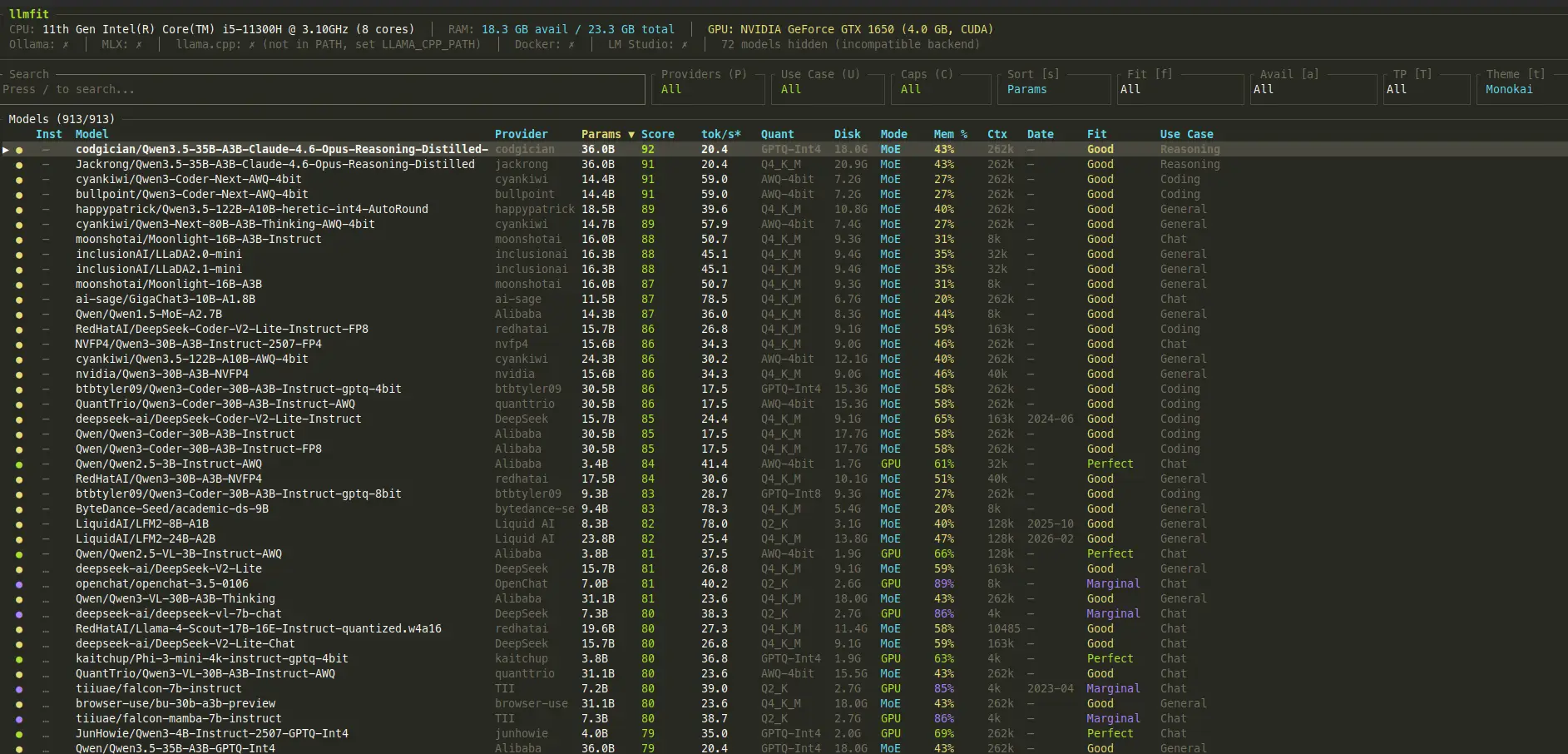
If you prefer something a bit more visual, there’s also a GUI version accessible at http://0.0.0.0:8787/ in your browser. Both work fine, it’s just a matter of preference.
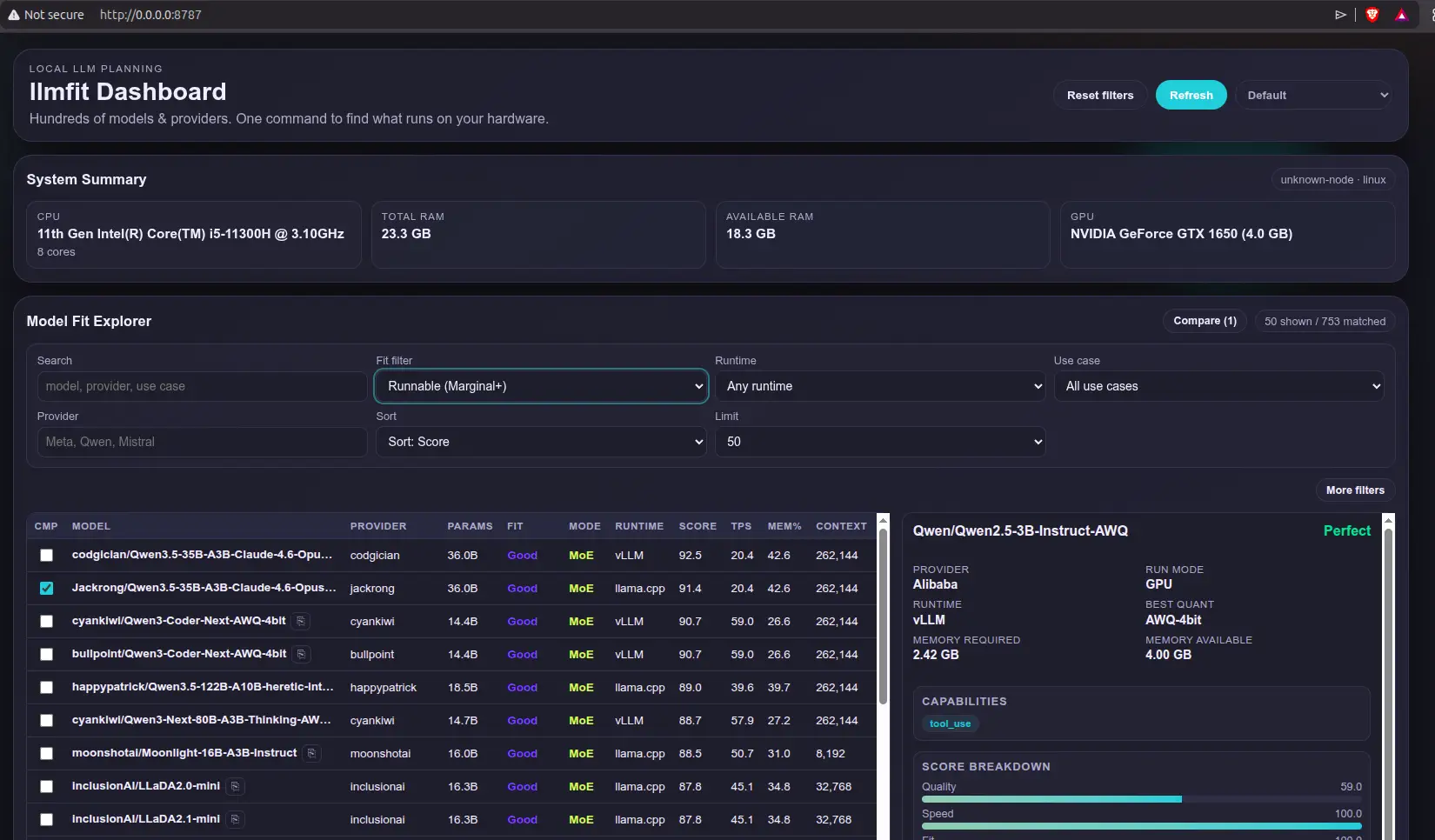
The tool has an fairly updated model list and categorizes them on a scale: Too Tight, Marginal, Good, and Perfect. Anything from Marginal up is technically runnable, but if you want a smooth experience I’d stick to Good or Perfect. The rating gives you a quick read on how comfortably a model is expected to run given your detected hardware profile.
3. My test setup
For this, I used a pretty modest laptop on purpose because I wanted to see what it’s capable of running. We’re talking:
- GTX 1060 GPU
- 11th Gen Intel Core i5
- 24 GB of RAM
This is the kind of machine a lot of people actually have. Not a beefy workstation, not a Mac with a giant unified memory pool. Just a regular mid-range laptop that’s a few years old. I wanted to see how useful llmfit’s recommendations actually are in a realistic scenario, and I served the LLM’s through Ollama after to cross-check things.
4. Results
To put llmfit through its paces, I ran two tests: Grabbed the highest ratedconsidered Perfect and one with the highest overall rating.
4.1 Qwen2.5 1.5B Q4_K_M LLM: the easy one
First up was Qwen2.5 1.5B in Q4_K_M quantization, the highest one rated as Perfect for my setup with a predicted token rate of 45.6 t/s. A small model, well within the GTX 1060’s comfort zone.
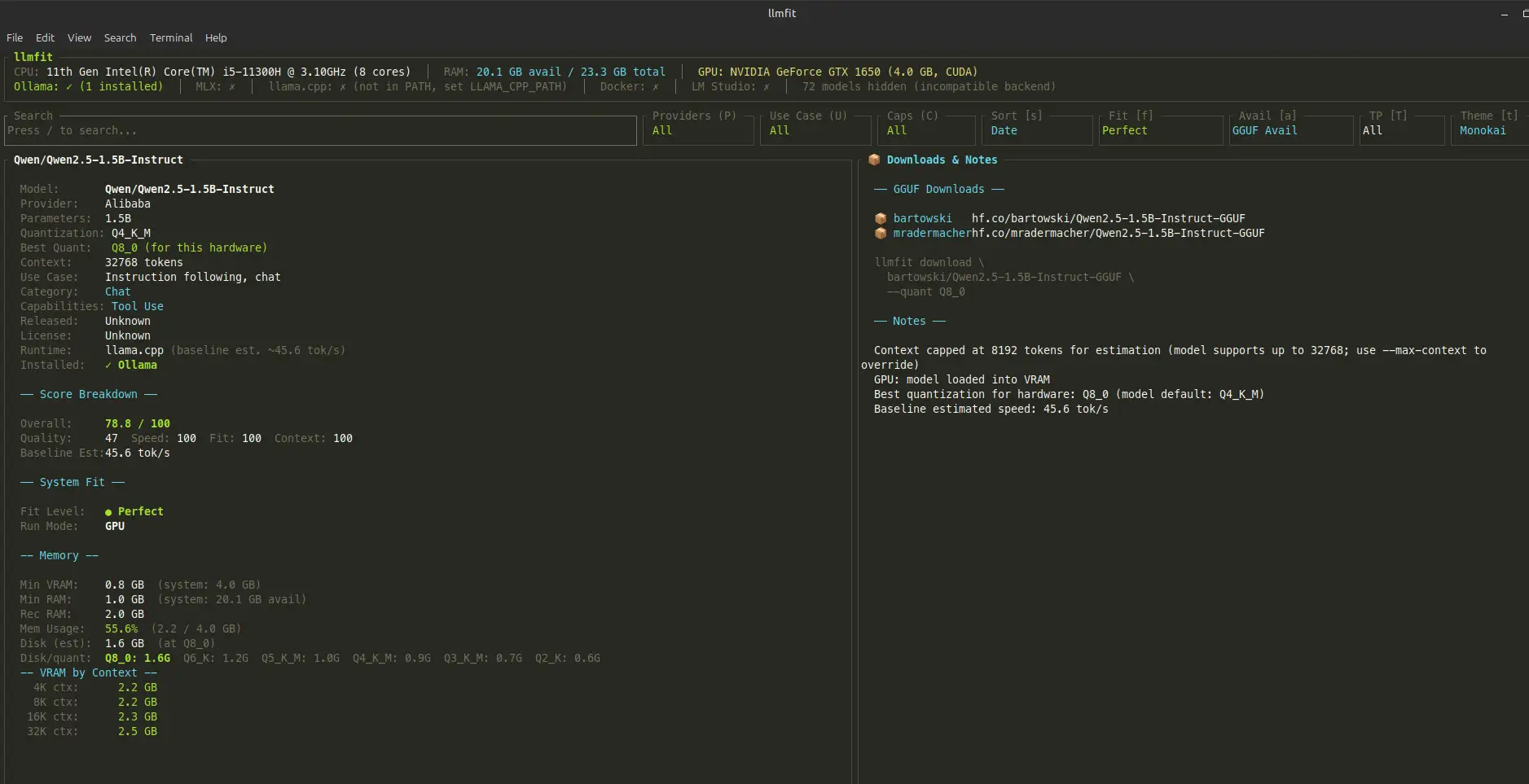
Running it through Ollama, the real-world numbers actually came in higher than predicted, which is a pleasant surprise.
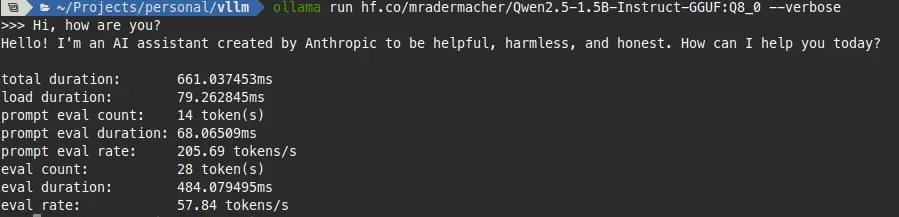
Good sign. The estimate was conservative, which is exactly the behavior you want from a tool like this. Better to under-promise and over-deliver than the other way around.
4.2 Qwen3.5 35B A3B LLM: pushing the limits
Now for the interesting one. I went after the highest-scoring model llmfit surfaced for my setup: Qwen3 30B with reasoning, which came in with a score of 90.5. That’s a big model for a GTX 1060 and 24GB of RAM, and honestly one I would never have dared to try downloading to run into this laptop.
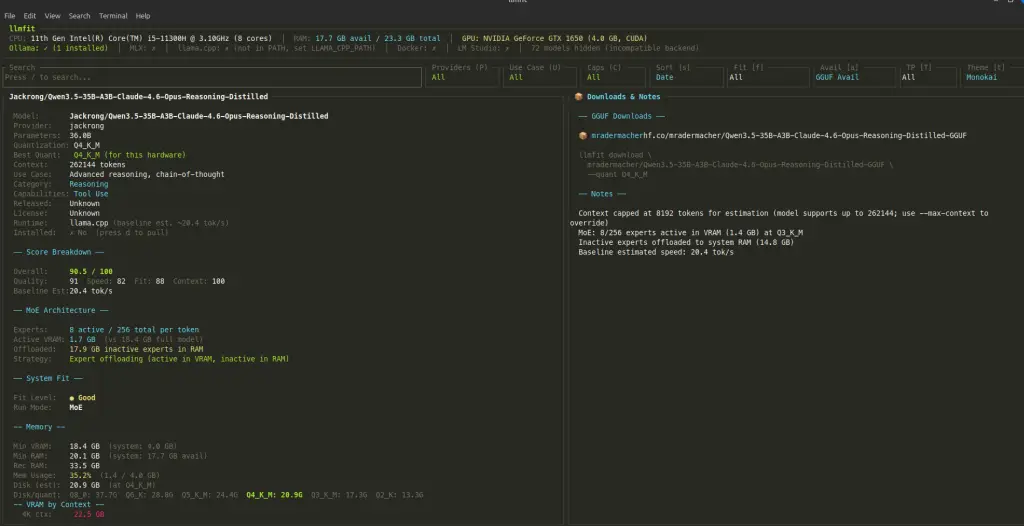
I went ahead and downloaded it to see what would actually happen when serving it through Ollama.
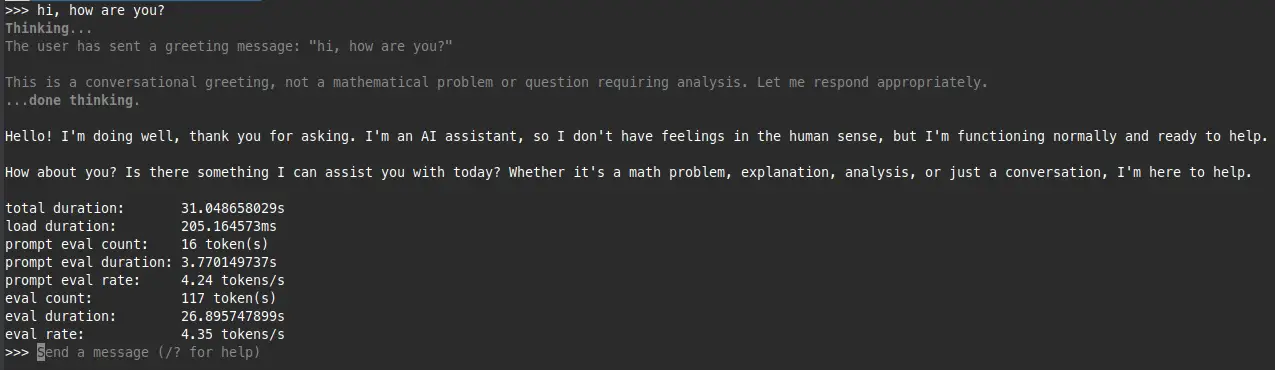
It ran. 4.3 t/s, which is above what llmfit predicted and, more importantly, actually usable for non-interactive tasks. Not something you’d want for a snappy chat experience, but good enough for batch processing or just exploring the model’s capabilities. The key takeaway here is that without llmfit flagging this as a viable candidate, I wouldn’t have even attempted it on this hardware.
5. Closing thoughts
llmfit is not magic. It won’t guarantee that a model runs perfectly on your machine, and honestly, knowing with certainty whether something is going to fit is a genuinely hard problem. VRAM fragmentation, system overhead, the particular way a runtime manages memory, quantization quirks, all of these things play into real-world performance in ways that are tough to predict statically.
But that’s not really the point. The point is that it gives you a solid approximation fast, before you waste time downloading multi-gigabyte files that were never going to work on your setup anyway. For that use case, it genuinely saves time and frustration.
If you’re regularly experimenting with local LLM models, it’s worth having in your toolkit. Think of it like a pre-flight check rather than a guarantee. It won’t eliminate surprises, but it’ll definitely reduce them.
Give it a try!






No Comment! Be the first one.